Do Teslas Have Brake Pedals? A Complete Guide to Tesla Braking Systems
Do Teslas have brake pedals? Yes, every Tesla model has a traditional brake pedal.
This pedal works alongside Tesla’s innovative regenerative braking system to keep you safe and in control. You don’t have to worry about missing the usual brake feel when you drive a Tesla.
Tesla’s regenerative braking reduces the need to press the brake pedal often. It slows the car down once you lift off the accelerator. This makes driving smoother.
It also helps save your brake pads. Still, the brake pedal remains important for strong stops, emergencies, and precise control.
You’ll notice Tesla’s brake pedals are designed for comfort and responsiveness. The pedal feels familiar but is linked to smart sensors that optimize braking. This setup helps extend brake pad life, which means fewer repairs and less hassle for you.
Key Takeaways
- All Tesla models come with a regular brake pedal alongside regenerative braking.
- Lift off the accelerator to use regenerative braking and save wear on brakes.
- Use the brake pedal for full stops, emergencies, and when precise braking is needed.
- Tesla brake pedals are built for comfort and responsive feedback.
- Regenerative braking helps extend your brake pads’ lifespan significantly.
- Brake pedal design varies slightly depending on the Tesla model and year.
Do Teslas Have Traditional Brake Pedals?
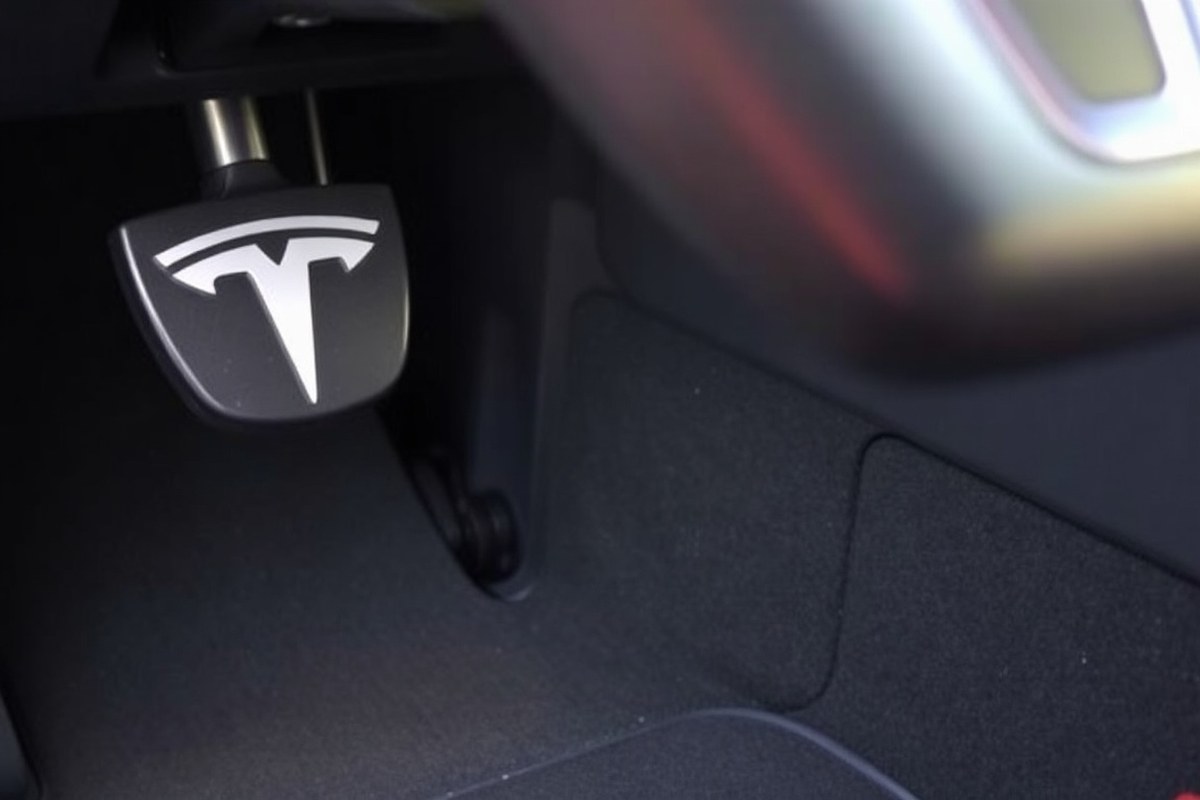
All Tesla cars come with a standard brake pedal. The Model S, 3, X, and Y feature two pedals under the dashboard. These are the gas and brake pedals, just like in normal automatics.
Tesla’s brake pedal looks like those in gas-powered cars and works the same way. You hit the brake pedal to reduce speed or stop the vehicle. It’s critical during emergencies or if regenerative braking alone isn’t enough.
Tesla pedals are simple, with no clutch pedal. Manual cars have three pedals, but Teslas use just two. This keeps driving straightforward.
This is because Tesla uses a single-speed transmission, eliminating the need for gear shifting. The brake pedal’s role stays the same. Yet you might find yourself pressing it less often thanks to regenerative braking.
How Tesla’s Regenerative Braking Complements the Brake Pedal
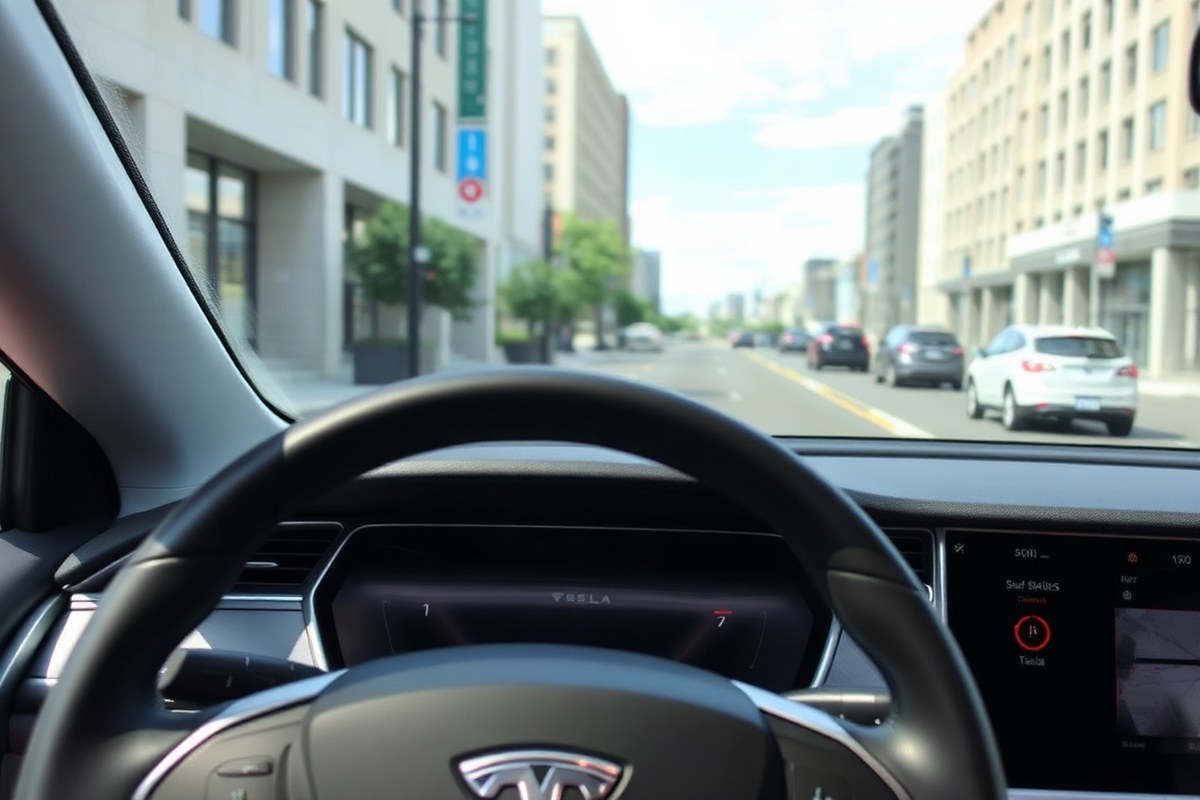
Regenerative braking in a Tesla uses the electric motor to slow the car. It recovers energy instead of relying only on friction brakes. When you lift off the accelerator, the motor acts as a generator.
It changes the car’s kinetic energy into electricity. This electricity flows back to the battery, extending your driving range.
This reduces wear on brake pads by cutting down physical friction inside the system. Tesla drivers often see their brake pads last more than 50,000 miles.
Traditional cars may need new pads every 20,000 to 30,000 miles. Less use of friction brakes means fewer repairs and lower maintenance costs over time.
The brake pedal still works the same way and activates the friction brakes when pressed. However, regenerative braking takes on most of the slowing during normal driving. You only press the brake pedal when stronger or emergency braking is needed.
Tesla’s braking system blends regenerative and friction braking efficiently. This keeps performance smooth and safe.
This energy flow happens automatically as soon as you stop accelerating. The system senses deceleration and switches the motor to generate electrical energy. The stored energy in the battery boosts your overall range and reduces wasted energy.
With regenerative braking, you benefit from smoother deceleration. The system feels responsive because it slows you steadily.
It avoids the harshness of friction brakes activating too soon. This also helps keep your brake pedal from getting overly sensitive or requiring frequent use.
Occasionally, regenerative braking shifts its strength based on the battery’s charge level and driving mode. For example, if the battery is nearly full, Tesla reduces regenerative braking to prevent overcharging. Friction brakes may activate earlier to make sure you stop safely.
This system saves energy and extends brake life. The brake pedal fully takes over when needed for safety.
It reduces wear inside your Tesla and boosts efficiency. This makes Teslas drive differently from gas cars.
Don’t rely solely on regenerative braking for sudden stops. Always be ready to use the brake pedal in emergencies for full stopping power.
What Is One-Pedal Driving and When Should the Brake Pedal Be Used?
One-pedal driving lets you manage speed with just the accelerator. Lifting your foot off the pedal makes the car slow on its own. The brake pedal is still required for sudden stops or urgent situations.
Defining One-Pedal Driving Mode
One-pedal driving lets you slow down just by releasing the accelerator. Tesla achieves this using regenerative braking, which turns the electric motor into a generator. This process slows the car while also recharging the battery slightly.
It reduces the need to switch to the brake pedal during regular driving. This mode improves efficiency and lowers brake-pad wear, lasting over 20,000 miles with minimal maintenance. You just lift your foot to slow down, instead of hitting the brake pedal.
Common Driving Situations for Brake Pedal Use
Even with one-pedal driving, you must press the brake pedal in several situations. Emergency stops require full brake power for quick and safe halts. Slowing down safely on slippery roads or steep inclines also warrants brake pedal use.
- Stopping quickly in an emergency
- Driving downhill on steep roads
- Slowing on icy or wet surfaces
- Parking maneuvers requiring precise control
- Heavy traffic situations needing frequent stops
- When regenerative braking feels insufficient
Adjust your foot position smoothly between pedals in these cases. Brake involvement can be more direct and immediate than regenerative slowing.
Safety Considerations During One-Pedal Driving
One-pedal driving suits daily street driving but demands adaptation. You need to trust the car’s slowing power when releasing the accelerator. Keep the brake pedal ready to act fast if the situation changes suddenly.
Watch for uneven surfaces or obstacles where extra braking helps control. Learn to balance pedal use instead of fully relying on only one pedal. Always follow driving rules and pay attention to road conditions.
Emergency and Automatic Braking: Role of the Brake Pedal
Tesla’s automatic emergency braking (AEB) system detects potential collisions early. It uses sensors and cameras to monitor traffic ahead. The car detects high risk and automatically applies brakes to slow down.
The brake pedal still plays a key role in emergencies. When you firmly press it, you engage Tesla’s anti-lock braking system (ABS).
ABS prevents wheel lock-up and keeps traction steady during quick stops. This helps maintain control on slippery or uneven roads.
During a sudden stop, Tesla’s system can override your pedal input if needed. This ensures maximum braking force to avoid a collision. The system adjusts itself smoothly, blending automatic and manual braking forces to stay safe.
Even though Tesla’s AEB sometimes slows or stops the car, don’t stop using the brake pedal. You can press the brake pedal firmly if emergency braking feels soft. Your immediate brake pedal action backs up the automatic system and adds safety.
Testing your brake pedal regularly helps ensure quick response in emergencies. Press the pedal slowly first to feel resistance.
Press it quickly next to check if ABS activates. A brake pedal that feels spongy or stiff should be checked by a professional.
Tesla ensures emergency braking systems meet safety rules. This helps drivers trust manual override.
The hydraulic brake pedal is designed for consistent stopping power even under heavy use. Though automatic features reduce pedal use, the pedal remains essential for safety and control.
Brake Pedal Ergonomics and Design Differences in Tesla Vehicles
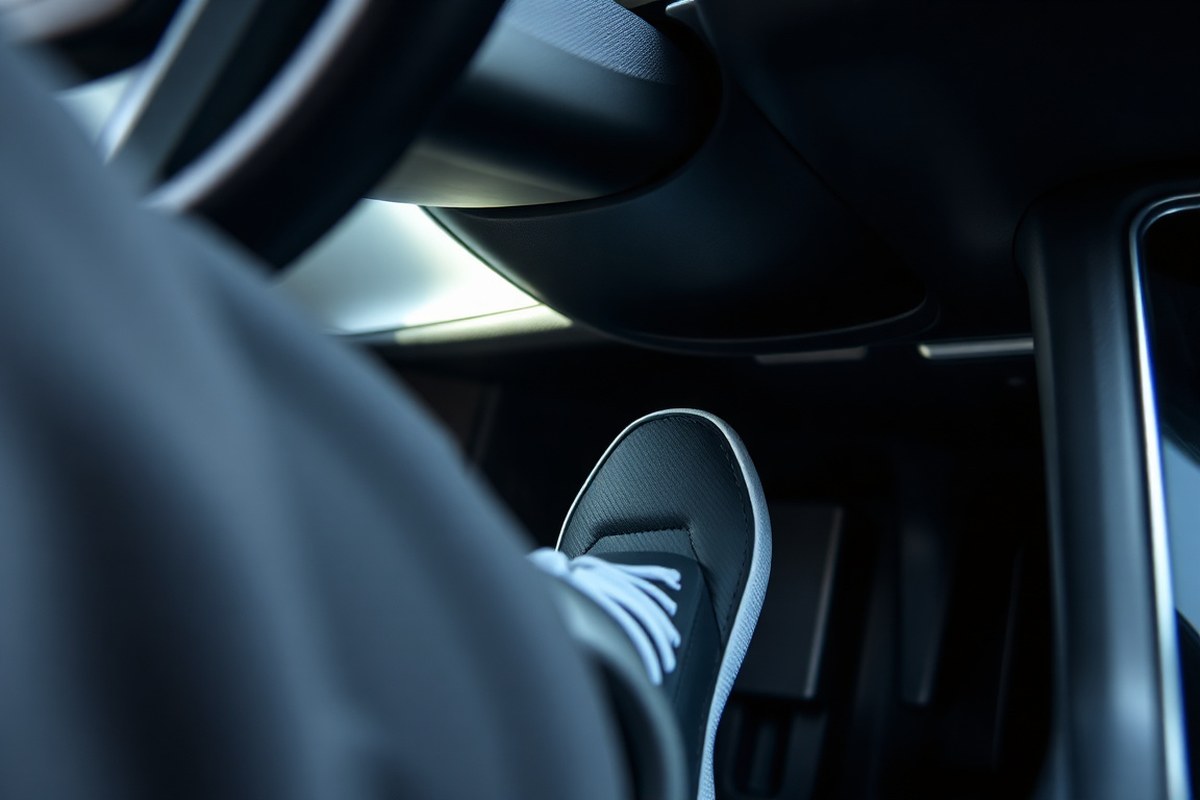
Tesla’s pedal layout has two pedals. The brake is on the left. The accelerator is on the right.
This setup matches most automatic cars but lacks a “dead pedal” for your left foot. This minimalist design focuses on simplicity and fits the cabin’s sleek look.
The brake pedal in a Tesla is electronically controlled rather than using a traditional mechanical linkage. Pressing the pedal sends a signal to the car’s computer, which then activates the brakes. This electronic system helps integrate smoothly with regenerative braking and automatic safety features.
Drivers new to Teslas generally find the brake pedal straightforward and similar enough to regular cars. The pedal’s responsiveness feels familiar.
But the effort needed to stop may differ slightly due to brake-by-wire technology. Spending a few minutes adjusting your foot placement can help you avoid unintended hard stops.
Comfort also depends on pedal shape and travel distance. Tesla’s brake pedal feels firm and flat. It has moderate travel.
It is not mushy or too stiff. This design provides good tactile feedback without tiring your foot during city traffic or long drives.
Compared to some traditional vehicles, Tesla brake pedals might feel lighter and more sensitive. Practice gentle brake presses in a safe spot. This helps you learn how fast the car slows.
Take your time to get used to it. This helps reduce the risk of braking too harshly or too softly.
Match your brake pressure to the car’s response. Try this in a parking lot first. Avoid busy roads until you’re confident.
How Brake Pedal Use Impacts Tesla Brake Pad Life and Maintenance Costs
Tesla’s regenerative braking takes most of the work off the brake pedal. This reduces wear on brake pads and rotors a lot. The electric motor slows the car down instead.
This takes pressure off the traditional brakes. It helps Tesla brake pads last much longer than normal, often beyond 100,000 miles.
Using the brake pedal carefully still matters. Hard braking with the pedal wears down pads faster. Gentle, controlled use combined with regenerative braking maintains good stopping power while stretching brake life.
The longer brake pad life also cuts maintenance costs. Tesla brake parts might cost more at first. But the wear is slower.
So you replace parts less often overall. That saves money and reduces waste from brake pads and rotors.
Here’s a table comparing Tesla brake pad life and costs to a traditional car’s. Regenerative braking moves most of the braking load away from pads.
This lowers maintenance costs over time. It shows how Tesla saves you money on upkeep.
| Factor | Tesla | Traditional Car |
|---|---|---|
| Typical brake pad lifespan | 100,000+ miles | 30,000 to 50,000 miles |
| Brake pad wear | Significantly reduced due to regen braking | Primarily friction braking |
| Brake pad replacement frequency | Less frequent | More frequent |
| Brake maintenance costs | Lower over lifespan | Higher over lifespan |
| Environmental impact | Reduced waste from brake parts | More waste from pads and rotors |
How you use the brake pedal still affects wear. Switching quickly between brake and accelerator pedals adds brake use. This happens a lot in One Pedal Mode.
It can cause the brakes to wear out faster. Smooth deceleration using mostly regenerative braking helps keep pads in better shape.
Brake pad condition also shapes how well braking feels and performs. Keeping pads and rotors in good shape ensures the pedal response stays consistent. This works especially well with Tesla’s brake setup, giving you confident control and longer service life.
Customizing and Adjusting Brake Pedal Settings in Tesla Models
You can adjust brake pedal sensitivity and regenerative braking strength in most Tesla models. These tweaks help match your driving style and improve comfort. Model 3 and Model Y especially offer these customization options through software updates.
Accessing Brake and Regen Settings Menu
Start by using your Tesla’s central touchscreen to find braking options. Settings for pedal sensitivity and regenerative braking live within the Driving menu. This menu lets you switch between different braking intensity levels quickly.
The exact menu names may vary by model but remain similar across Tesla vehicles. You’ll find options like “Standard” and “Low” for regenerative braking here. This makes adjusting the system straightforward and intuitive for most drivers.
Adjusting Brake Pedal Sensitivity
Adjusting sensitivity changes how quickly the brakes respond when you press the pedal. It can make your braking feel softer or more immediate. Model 3 and Model Y gained more of these options in recent software updates.
Set the brake pedal to your comfort level via the touchscreen by choosing between preset settings. Increased sensitivity suits city driving where frequent stops happen. Lower sensitivity works better for relaxed highway driving or steep descents.
Resetting and Saving Custom Braking Profiles
Tesla lets you save these brake settings under driver profiles. Each profile stores your preferred pedal response, seat, and steering wheel positions. Profiles switch quickly, which helps if multiple people share the car.
You can reset braking to default in the Driving menu. This makes undoing changes simple and quick.
Just go back to the same menu to start. Keep in mind updates can also refine your braking feel automatically using over-the-air software improvements.
Here’s how to adjust and save your brake settings step-by-step:
- Tap the central touchscreen to open the main Controls menu.
- Select “Driving” to access brake and regenerative braking options.
- Choose between “Standard” or “Low” regenerative braking intensity.
- Adjust brake pedal sensitivity if your model and software allow it.
- Save your preference by creating or updating a driver profile.
- Test drive to ensure braking feels comfortable and confident.
- Return to the menu to tweak settings as needed for different conditions.
Common Myths and Misunderstandings About Tesla Brake Pedals
Contrary to some claims, Teslas do have brake pedals. These pedals work like traditional brake pedals in most cars. You still need to press them to slow down or stop in many driving situations.
The idea that Tesla drivers never use the brake pedal is a misunderstanding. Regenerative braking helps slow the vehicle when you lift your foot off the accelerator.
This system recaptures energy but does not replace the brake pedal. You must press the brake pedal to stop quickly or in emergencies.
One-pedal driving does reduce the need for the brake pedal in some cases. When you lift off the accelerator, regenerative braking slows the car automatically. Still, this doesn’t mean you never use the brake pedal.
You use it for sudden stops. Also, in certain traffic situations. It helps when you want a smooth, controlled stop.
Some believe that one-pedal driving means no braking is needed. This is false. One-pedal driving works best in city or light traffic.
It can’t fully handle all braking needs that arise during highway driving or tight situations. Always be ready to use the brake pedal.
Don’t rely only on regenerative or one-pedal braking. Keep your foot near the brake pedal for safety.
Brake fade, when brakes lose effectiveness from heat, is less common in Teslas. Regenerative braking takes some burden off the brake pads. This means braking stays reliable for longer.
But it doesn’t eliminate the need for traditional brakes. Tesla brake pedals remain essential for safety and control.
The myths about Tesla brake pedals being missing are false. They are not optional either. Both statements are wrong.
Tesla’s regenerative braking adds efficiency but doesn’t remove the need for pedal use. For safe driving, always use the brake pedal when needed and adapt to the driving conditions.
How Terrain, Battery Level, and Model Affect Brake Pedal Usage
Brake pedal use in Teslas changes depending on the terrain, battery level, and model you drive. Steeper slopes often need more manual braking.
Battery state can reduce regenerative braking’s power. Also, Tesla models have different settings that affect how much you rely on the brake pedal.
Terrain Effects on Braking
Descending steep hills strains Tesla’s regenerative braking at around 15° incline. This triggers auxiliary friction brakes to help slow the car. You still need to use the brake pedal carefully on these slopes to keep control safe.
On gentler urban roads, you’ll mostly rely on regenerative braking through the accelerator pedal. When driving downhill, the assist sometimes stops working. Then the brake pedal must handle more pressure.
You feel the extra load in your foot. Using the brake pedal early prevents overheating the friction brakes.
Battery State Impact on Regen Braking
Regenerative braking power shrinks as the battery nears full charge. When the battery is almost full, the system limits regen energy capture to prevent overcharging. This means you’ll feel less slowdown from the accelerator and need the brake pedal more often.
Tesla lets you set a feature to adjust for this. It is called “Apply Brakes When Regenerative Braking Is Limited.” You can find it in the settings.
This feature helps the car use friction braking earlier and reduces surprises. Check this setting under Controls → Pedals and Steering, especially in stop-and-go traffic.
Model-Specific Braking Features
Tesla models vary in how they balance regen and friction braking. Higher regenerative braking levels mean less need for the brake pedal.
Some drivers use only the accelerator to slow down. However, not all models or software versions handle this equally.
The Nissan Leaf’s e-Pedal always uses regen braking. But Tesla makes the feature dependent on its system state.
That means you must learn when to ease off the accelerator and press the brake pedal. Higher-end Tesla models generally have smoother transitions thanks to advanced software.
The chart below compares braking features on Tesla models. It shows how these features affect pedal use. This helps you understand differences across cars.
| Feature | Model S & X | Model 3 & Y | Notes |
|---|---|---|---|
| Max Regenerative Braking Level | Highest | High | Higher levels reduce brake pedal use |
| Apply Brakes When Regen Limited | Available in software settings | Available in software settings | Helps shift to friction brakes sooner |
| Hill Descent Control Activation | Starts at ~15° incline | Starts at ~15° incline | Engages extra braking on steep slopes |
| One-Pedal Driving Support | Full support with heavy regen | Full support with heavy regen | Allows driving with minimal brake pedal use |
Check your specific model’s settings to adjust braking feel. Knowing these facts lets you drive more smoothly and safely.
You use the brake pedal in the right way. This keeps your Tesla safe on all roads.
Step-by-Step Action Plan to Master Your Tesla’s Brake System
Get familiar with how your Tesla’s brake pedal works alongside regenerative braking. Follow these steps to use it confidently and keep your car safe.
- Before Driving: Check your Tesla’s brake pedal response in a safe, open area. Press the pedal lightly to feel its sensitivity and confirm it engages normally.
- First Drive: Try one-pedal driving on flat roads. Ease off the accelerator. Let regenerative braking slow you down. Notice how your car slows without using the brake pedal much.
- After 1 Week: Practice using the brake pedal for full stops and emergencies. This helps build muscle memory for when automatic or emergency braking activates.
- After 2 Weeks: Use Tesla’s touchscreen to change brake pedal feel. Make it firmer or softer. Adjust to your comfort. Test the new feel in a parking lot to verify comfort and control.
- Monthly: Monitor brake pad wear visually or through Tesla app alerts. Less pedal use generally means longer pad life. But stay aware of any unusual noises or vibrations.
- Quarterly: Schedule a brake system check with a Tesla-certified technician. They’ll inspect pad thickness and braking system health based on your driving habits and terrain.
- During Different Terrain Drives: Pay extra attention to brake use on hills or slippery roads. Use the brake pedal as needed to maintain safe control, even if regenerative braking is active.
Frequently Asked Questions
Do Tesla Brake Pedals Feel Different from Traditional Brake Pedals?
Tesla brake pedals use a softer touch due to regenerative braking. This design helps the pedal respond smoothly while recovering energy during deceleration. It may feel lighter compared to gas cars.
Can You Drive a Tesla Safely Without Ever Using the Brake Pedal?
Yes, Tesla’s one-pedal driving enables safe stops mostly by lifting off the accelerator. However, the brake pedal is still required for emergency stops or sharp braking. Always stay ready to press it.
Are Tesla Brake Pedals Affected by Software Updates?
Software updates occasionally adjust braking feel or responsiveness. This keeps the system optimized for safety and comfort. Tesla owners often notice subtle changes after updates.
How Does Tesla’s Automatic Emergency Braking Work with the Brake Pedal?
The system can apply brakes without driver input in emergencies. But pressing the brake pedal overrides or supplements this braking immediately. This design ensures maximum control and safety.
Do Tesla Brake Pedals Need Calibration or Maintenance Like Other Cars?
Tesla brake pedals rarely need calibration because of their electronic design. Regular brake system checks are still wise, especially for brake fluid and pad wear. Most maintenance focuses on sensors rather than the pedal itself.
Final Thoughts
Teslas do have brake pedals that work with their unique regenerative braking. Use the brake pedal when stopping fully or in emergencies for safety. Get in your Tesla and try a short one-pedal drive to feel how it changes braking.