

Do Search Engine Results Really Work? Complete Guide and Comparison
Do search engine results really work the way you expect? Yes, they do provide valuable answers most of the time. Search engines scan billions of pages and rank results based on relevance and popularity.
They use complex algorithms that look at many details like keywords and user location. The quality of your query impacts how accurate the results will be. Using clear and specific search terms helps the engine find the best matches.
Search engines also consider page freshness and site trustworthiness in rankings. This means recent and reliable content often appears higher. Understanding this can improve how you search for timely or credible information.
Keep in mind that not all search engines offer the same results or features. Privacy settings, local laws, and search engine policies also affect what you see. Picking the right search engine can save time and improve your findings.
Key Takeaways
- Use precise keywords to get more accurate search engine results.
- Search engines rank pages based on relevance, authority, and location.
- Google dominates with nearly 90% of the global market share.
- Bing is the second most popular search engine, especially in the US.
- Privacy-focused engines, like KARMA Search, protect your data better.
- Different search engines serve different regions and languages specifically.
What Does the Phrase ‘Do Search Engine’ Mean?

The phrase “do search engine” usually doesn’t refer to a specific term or tool. People typing this phrase want to learn about search engines.
They seek how search engines work or how to use them well. The phrase is often an incomplete or shorthand way to ask, “How do search engines operate?” or “How do I use a search engine?”
Search engines analyze what you type, even with misspellings. They try to understand different words or terms you use. They try to figure out your actual intent.
If you type “do search engine,” it tries to understand your goal. It checks if you want info on search engines or to perform a search.
Users typing that phrase might want to know search steps. Or they want to learn what a search engine does. Related queries include “how do search engines work” and “do search engines find websites.”
Others ask if search engines show ads.” These phrases clarify the user’s intent more than just “do search engine.”
This input isn’t a proper search term by itself. It’s more like the start of a question. So search engines apply tools like RankBrain and BERT to understand and predict your meaning.
Search engines focus on the idea behind your query. They look beyond exact words to give relevant results.
Typing a vague phrase might mean you are testing search engines. Or you are curious about what they do. Learning about their steps, crawling, indexing, and ranking, helps you get better answers.
For example, typing “do search engine find recipes” gets better results. It clears up what you want compared to just “do search engine.””
How Do Search Engines Find and Rank Information?
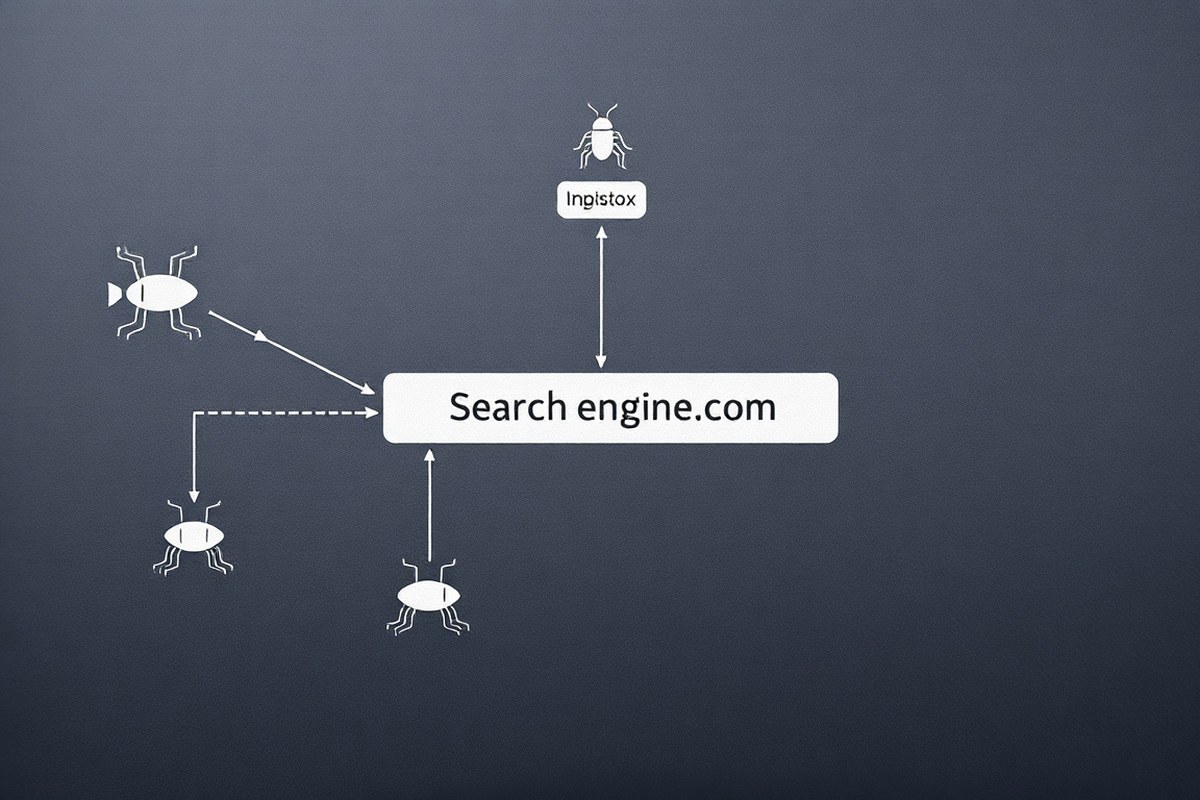
Search engines crawl the web to collect data. They index this data to organize it. Then they rank pages to find the best matches for you.
Crawling finds new and updated pages. Indexing stores and organizes these pages for quick retrieval. Ranking decides the order results appear based on many details.
Crawling: Discovering Web Content
Crawling uses automated programs called bots or spiders. They follow links to find web pages across the internet. The process starts with a list of known site URLs and grows from there.
Each crawler downloads page content like text, images, and videos. It also collects links to discover more pages. Search engines rely on frequent crawling to stay updated on new information.
- Start with a list of seed URLs
- Download page content
- Follow links to new pages
- Respect site rules like robots.txt
- Obey crawling frequency limits
- Detect and handle duplicate pages
- Report errors or inaccessible content
Make sure your site allows crawling; blocked pages won’t appear in search results.
Indexing: Organizing Data for Fast Access
Indexing turns crawled data into a searchable database. Search engines analyze page content to understand topics and context. This helps match pages to relevant queries later.
The index stores text, keywords, metadata, and page quality signals. Not all pages make the index; low-quality or irrelevant data may be excluded. Indexing speed varies but often happens within days.
- Extract important words and phrases
- Analyze page structure and metadata
- Assess content quality and originality
- Store links between pages
- Update or remove outdated pages
- Organize data for quick retrieval
Ranking: Matching Results to User Queries
Ranking uses complex algorithms to order search results. These algorithms judge relevance and authority by comparing your query to indexed pages. They consider hundreds of factors to pick the best matches.
Think of algorithms as a librarian. They know where every book is located.
They also know which books best answer your question. This system considers keywords, page speed, mobile usability, and backlinks from other sites.
- Compare query terms with page content
- Check page authority from backlinks
- Evaluate page loading speed and usability
- Consider freshness of the content
- Account for user location and language
- Use machine learning to understand intent
Pages with high-quality links and fast loading speed usually rank higher.
Which Search Engines Are Most Popular and Why?
Google dominates the search engine market with over 91% global share. Bing and Yahoo follow but hold only small fractions.
Regional engines like Baidu and Yandex serve China and Russia. Privacy-focused options like DuckDuckGo draw users wanting less tracking.
Google: The Global Leader
Google controls about 91% of worldwide searches as of August 2026. Its large index covers almost everything on the web.
Google runs most default search boxes on phones and browsers. This makes it the easiest pick for almost everyone.
Its algorithms provide strong local results and generally the highest-quality answers quickly. Google updates constantly to improve relevance. This is why it stays far ahead of competitors in user numbers and web traffic.
Popular Alternatives: Bing and Yahoo
Bing holds the second spot with around 4.5% global market share. It benefits from deep integration into Microsoft products like Windows and Office. Bing also incorporates AI tools like Copilot to improve search results for users.
Yahoo, using Bing’s search index, accounts for about 1.2%. It remains popular as a portal for news, finance, and email services, especially in the U.S. Both provide alternatives but don’t challenge Google’s dominance.
| Search Engine | Global Market Share (Aug 2026) | Known For |
|---|---|---|
| 91.02% | Largest index, default on most devices | |
| Bing | 4.55% | Microsoft ecosystem, AI integration |
| Yahoo | 1.24% | Portal with news and email, Bing-powered |
| Yandex | 1.01% | Russian market leader |
| DuckDuckGo | 0.70% | Privacy focused, no tracking |
| Baidu | 0.62% | Dominant in China |
The table highlights global shares and what sets each search engine apart. Google’s 90%+ share shows its reach and usefulness worldwide.
Bing and Yahoo serve as alternatives within Microsoft’s reach. Yandex dominates Russia, while Baidu leads in China’s market.
Privacy and Specialized Engines: DuckDuckGo, Ecosia, KARMA
DuckDuckGo is popular for privacy, holding about 0.7% worldwide share. It avoids tracking your searches or building personal profiles. This appeals to millions who want simpler, safer browsing without personalized ads.
Ecosia focuses on environmental impact by using ad revenue to plant trees. Though it has just 0.15% global share, it attracts users wanting to support charity through daily searching. KARMA is a smaller option emphasizing charitable causes as well.
These alternatives give up some features of Google or Bing. They focus more on privacy or social goals instead. They are good choices if avoiding tracking or giving back matters most to you.
How Does Privacy Affect Search Engine Choices?
Many search engines collect personal data to improve search results and show ads. This data builds a profile of your interests and habits. Some search engines track everything you do to serve targeted ads that make them money.
Privacy-focused search engines collect little or no personal data. DuckDuckGo, for example, does not track your searches or save your information.
It pulls results from over 400 sources but never shares your data with them. This means DuckDuckGo avoids filter bubbles, where ads and results get narrowly tailored to your profile.
Qwant, launched in France in 2013, also emphasizes privacy. It does not track or sell your personal details.
However, like many free search engines, it uses some anonymous data to improve results and ads. This balance lets it offer relevant searches without building detailed personal profiles.
KARMA is a privacy-focused search tool that works differently from DuckDuckGo. It aims to protect user anonymity while integrating some personalized features.
But its exact data policies vary. Choosing a private engine often means accepting less personalized results compared to major engines like Google.
Full privacy with excellent search quality is hard to achieve. Engines that don’t collect data might not personalize results as well.
That’s a tradeoff between data protection and tailored search answers. Some people prefer this for peace of mind over seeing ads related to their online behavior.
To protect your privacy, choose search engines that don’t store history. Look for ones that don’t log your IP address. Also, use those with encrypted connections like HTTPS.
DuckDuckGo offers all three. Qwant also promises no tracking and no reselling of data. Check each search engine’s policies carefully.
Many popular ones log search terms. They often link these terms to your IP for weeks or months.
Search engines use personal data mainly to sell advertising space. They create digital profiles to display targeted ads. These ads might seem more relevant but involve tracking your clicks, location, and frequent searches.
Sharing less data cuts down on targeted ads. But it might limit the kinds of ads you get. This tradeoff affects your ad experience.
What Role Does AI Play in Modern Search Engines?
Artificial intelligence makes search results more relevant by understanding the meaning behind your words. It doesn’t just match keywords, it grasps your intent and context. AI gives you answers that fit your question better.
It saves time you’d spend skipping irrelevant links. You see relevant info fast and clear.
AI also creates summaries called AI Overviews or synthesized answers. They pull key points from several web pages and combine them into a clear, brief response. Google’s AI Overview shows a clear paragraph above results.
You get the main idea quickly without checking many sites. It helps you save time.
Chatbots like ChatGPT provide answers in a conversational way using large language models. They don’t search the web live but generate replies based on patterns in their training data.
Unlike traditional search engines, these AI-first tools usually don’t link to sources. So you get a direct answer but might miss updated info or context behind it.
AI does not replace traditional search engines but works alongside them to improve your experience. Engines like Bing and Google add AI at the top while keeping their normal results below. This hybrid model mixes quick AI summaries with detailed links.
You get an overview and can explore more if needed. It offers both speed and depth.
Adding AI to search requires lots of data and computing power, which few companies can afford. Some small or niche engines may have AI answers. These often feel less polished or cover fewer topics.
Coverage and quality vary a lot. Knowing whether an AI answer fits your needs will save you time and reduce frustration.
Don’t rely only on AI summaries for complex or urgent topics. Check detailed links for full context and accuracy.
How Can You Improve Your Website’s Presence on Search Engines?
Start by making sure your website can be found by search engines. Next, ensure it can be crawled and indexed correctly. This helps improve your site’s presence on search results.
You do this by optimizing your content and fixing technical issues that block search engines. Using the right tools will help track your progress and solve problems fast.
SEO Basics: Optimizing Titles and Content
SEO means tweaking your website to rank higher in search results. Your page titles and main content should include important keywords naturally. These keywords match what people type into search engines.
Write clear, concise titles under 60 characters. Use headings and short paragraphs to keep pages easy to read. Good content answers users’ questions fast and uses strong keywords.
- Use unique, relevant titles for each page
- Include keywords early in titles and headings
- Write descriptive meta descriptions under 160 characters
- Create fast-loading pages with mobile-friendly design
- Keep URLs short, clear, and keyword-rich
- Update content regularly to stay current
These basics help search engines understand what your site is about. Quality content earns better rankings over time.
Fixing Technical Issues: HTTP Errors and Robots.txt
Search engine bots can’t crawl your site if errors block them. HTTP errors like 404 mean pages are missing. Fix broken links to avoid losing traffic.
The robots.txt file tells crawlers which parts of your site to skip. Incorrect rules can accidentally block important pages from being indexed. Keep your robots.txt file clean and test it often.
- Check for and fix dead links and 404 errors
- Ensure server responds quickly to crawler requests
- Validate robots.txt rules with a tester tool
- Create and submit an XML sitemap for faster indexing
- Use canonical tags to avoid duplicate content
These fixes help all important pages get crawled and indexed properly.
Tools to Track and Improve Indexing
Several free and paid tools show how well your site is crawling and indexing. Google Search Console is the main one for tracking issues and fixing them. It reports pages that aren’t indexed and errors that block crawling.
For more in-depth site audits, Screaming Frog simulates how search engines crawl your site. It finds hidden problems like broken links or missing tags. Bing Webmaster Tools offers similar features for Microsoft’s search engine.
| Tool | Purpose |
|---|---|
| Google Search Console | Track crawling progress and troubleshoot issues |
| Screaming Frog | Simulate site crawling for different crawlers |
| Robots.txt Tester | Test and validate crawling rules |
| Bing Webmaster Tools | Track indexing statuses and troubleshoot Bing-specific issues |
These tools give clear reports and alert you to problems before they hurt rankings.
What Are Metasearch Engines and How Do They Differ?
A metasearch engine sends your query to several search engines at once. It collects the results from each and then puts them together in one list. MetaGer is one example.
It pulls data from Bing and Yahoo. You get different views on one search. That means multiple perspectives together.
Traditional search engines like Google crawl and index the web by themselves. They build their own large database of web pages and rank results based on relevance.
Metasearch engines don’t index the web directly. Instead, they rely on other engines’ databases, which means they can show more varied results.
Using a metasearch engine helps avoid personal results. It also cuts ads targeted by one search engine. This can be handy for broad searches.
They often reduce bias because they mix results from different sources. This helps if your topic might get filtered.
Big engines show some things first. So others might prioritize information differently.
Metasearch engines may be slower because they wait for several partners to respond. Also, they usually show ads or sponsored results since they don’t have their own ranking system. You might see duplicates or outdated pages since they depend on others’ data.
People choose metasearch engines when they want richer, less personalized results. They work well for privacy. Some like Search Encrypt don’t track what you search.
That keeps your history private. For the newest or local info, regular engines do better.
They use direct web indexes. So they find fresh, nearby results faster.
In short, metasearch engines mix results from various traditional engines to offer diverse listings. They trade speed and original indexing for variety and reduced tracking. Trying a metasearch engine is easy.
Just type your search like normal. You’ll see mixed results from many engines together.
What Are Common Misconceptions About Search Engines?
Search engines and browsers are not the same thing. Browsers like Chrome or Firefox show websites, but search engines find websites for you. Google is the top search engine with almost 90% of the global market.
But others like Bing, Yahoo, Yandex, and Baidu also exist. ChatGPT is not a search engine. It generates responses using AI instead of scanning the web.
People often think search engines read every page online. They actually crawl many pages but only index those that meet their quality standards. Pages must be well-structured and useful to appear in search results.
Write clear title tags under 60 characters. Keep meta descriptions under 150 characters.
This helps your site show up better in search results. Search engines also use your past searches and location to decide what to show.
- Google is just one of many search engines worldwide.
- ChatGPT answers questions but doesn’t search the web live.
- Search engines crawl millions, but index only quality pages.
- Data like search history and location influence rankings.
- More website traffic isn’t always good; quality matters.
- Search engines rank pages, answer engines summarize content.
More traffic to your website seems good but it can backfire. Low-quality visits do not help your rankings much and may waste resources. Good, engaging visitors who spend time improve site value.
Search engines often balance ranking signals to show helpful, relevant results. Their ranking depends on content relevance, page usability, and user engagement, not just visitor numbers.
Search engines collect data about you, such as your past searches and location, to tailor results. Ads are a common way search engines make money, which can affect what you see. Their crawlers like Googlebot scan the web continuously but don’t store every page found.
This focus improves result quality and speeds up searches. Understanding these facts can help you use search engines smarter.
Your website’s title tags should clearly describe your content. Meta descriptions must also be clear. This improves indexing and boosts your ranking.
How Do Search Engines Serve Different Languages and Regions?
Search engines adjust results based on your language and location. They use language models to understand queries in many languages. This helps deliver relevant answers tailored to your region or native tongue.
Localized search targets content tied to a specific area, unlike global search. Local results show nearby stores or region-specific news. For example, searching “pizza” near New York lists local pizzerias, not general websites worldwide.
You can customize language or region on most popular search engines. Settings usually appear under the preferences or settings menu. Changing region or language improves result relevance, especially when searching outside your home country.
| Search Engine | Primary Region | Global Market Share (August 2026) | Notable Features |
|---|---|---|---|
| Yandex | Russia | 1.01% | Local results, Maps, Translate, Music, AI assistant Alice (YandexGPT) |
| Baidu | China | Data not specified | Dominates Chinese market, tailored content for China |
| Bing | Global (notably US) | 5.29% global, 9.89% US | Multilingual, integration with Microsoft services |
Regional engines like Yandex and Baidu handle local languages and content better. Yandex’s AI supports over 100 languages with tasks like translation and vision. This lets them serve users in many languages without explicit instructions for each.
Language models also improve search quality for non-English users. They analyze query intent and context, lowering errors due to language complexity. Without this, search results might miss relevant local websites or translate poorly.
Changing search region or language often costs no money but requires manual setup. Poorly set preferences may show results in unrelated languages or from distant regions. Adjusting your browser or search engine settings every time you travel helps avoid this.
Step-by-Step Action Plan
Use these steps to get the most from search engines fast. Each step helps you understand or improve your search results.
- Day 1: Try different search engines like Google, Bing, or DuckDuckGo to see their results. Note which one suits your privacy and result style.
- Day 3: Practice using specific keywords and quotation marks to improve search accuracy. Check if results get more relevant.
- Week 1: Explore a metasearch engine and compare its results with single search engines. Notice how it pulls from many sources.
- Week 2: Adjust your browser or device language settings to match your preferred region. See if search results become more local and useful.
- After 3 Weeks: If you run a website, add clear titles and keywords to your pages. Use free SEO tools to check your rank.
- After 1 Month: Review your search habits and privacy needs. Consider switching search engines if one fits your values better.
- Ongoing: Stay updated on AI features in search engines. Use them to get more relevant answers and save time.
Frequently Asked Questions
How Do Search Engines Use Keywords to Find Relevant Results?
Search engines scan keywords in your query to match them with website content. They weigh keyword relevance alongside site authority to pick the best pages for your search. Keeping queries clear helps get better results.
Can You Use Multiple Search Engines at Once?
Yes, metasearch engines combine results from several search engines simultaneously. This saves time and shows varied perspectives on your query. It’s useful if you want broad coverage without opening many tabs.
What Is Search Engine Crawling and How Does It Work?
Crawling is when search engines send bots to scan websites for information. These bots follow links to discover new and updated pages. Regular crawling keeps search results fresh and accurate.
Why Do Some Websites Rank Higher Than Others?
Websites rank higher based on how relevant, trustworthy, and user-friendly they are. Search engines also check how many other sites link to them. Good content and fast loading speed improve your rank.
Can You Remove Your Website from Search Engine Results?
Yes, website owners can request removal through tools like Google Search Console. This helps protect privacy or remove outdated info. It usually takes a few days for changes to show.
Wrapping Up
Search engines find and rank info in many ways, influenced by AI and privacy. Picking the right one depends on your needs and habits. Start exploring today to take control of your searches.